How to Use a VPN Safely
A VPN can improve your privacy on public Wi-Fi and hide your regular IP address from websites. But simply installing an app is not enough. Knowing how to use a VPN safely means checking a few important settings and understanding what the service can and cannot protect.
What a VPN Actually Does
A VPN encrypts traffic between your device and the VPN server. Websites generally see the server’s IP address instead of yours, while your internet provider can usually see that you are using a VPN but not the details of encrypted traffic.
A VPN does not make you anonymous. It cannot remove malware, stop phishing or prevent websites from identifying you after you log in. Think of it as protection for your connection rather than complete online security.
Check These VPN Settings
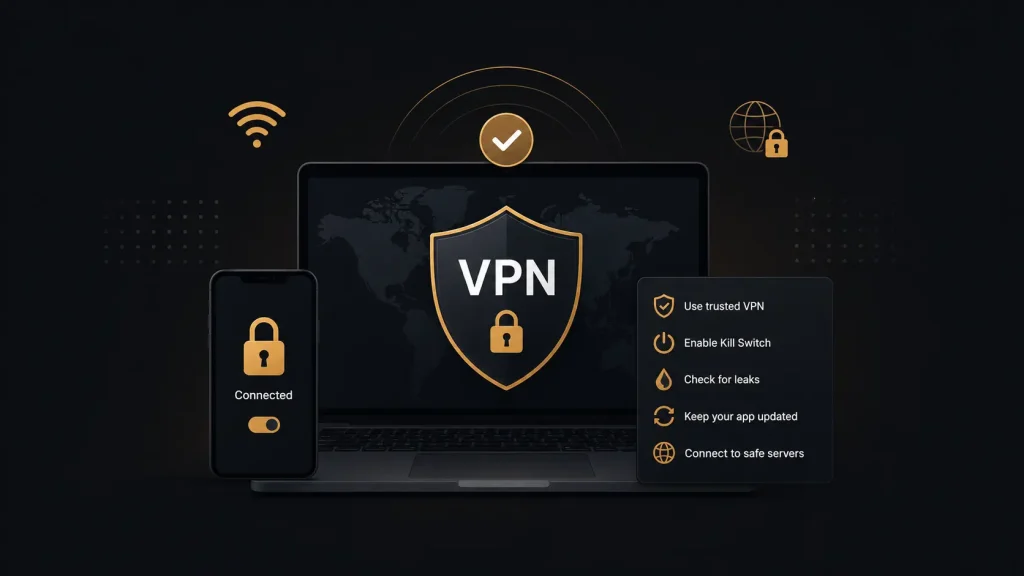
Start with the kill switch. If your VPN connection drops, this feature blocks internet traffic until the secure connection returns. Without it, your device may automatically switch to its normal connection.
You should also check for DNS leaks. A leak occurs when DNS requests travel outside the VPN tunnel. A DNS leak testing service can show which servers handle these requests.
Protocol selection can affect speed and reliability. WireGuard is widely used for fast connections, while OpenVPN remains a common alternative. Having several protocols available can also help when certain networks interfere with VPN connections.
Split tunneling allows selected apps to bypass the VPN. It can be useful for services that do not work correctly through a VPN, but keeping traffic inside the encrypted tunnel is generally preferable unless you have a reason to exclude it.
Check the Provider’s Privacy Policy
A VPN provider handles your connection, so its privacy practices matter. Read the privacy policy and check what information the company collects or stores.
Do not rely on a no-logs label alone. The meaning can differ between providers. Independent audits can provide additional evidence, but check who conducted the audit, when it happened and what it covered.
Using a VPN on Public Wi-Fi
Connect your VPN before accessing sensitive accounts on public Wi-Fi and keep it active throughout your session.
A browser VPN extension may only protect traffic inside that browser. Other applications can continue using your normal connection, while a full VPN app generally protects more device traffic.
A VPN also cannot make an unsafe website trustworthy. Continue checking URLs carefully and use two-factor authentication for important accounts.
Streaming, P2P and Free VPNs
A VPN can change the IP address visible to streaming services, but it does not guarantee access to content in another region. Streaming platforms can detect or block VPN connections and their policies may change.
For P2P traffic, check whether your provider allows it and whether you need to use particular servers.
Free VPNs require additional caution. Some providers offer limited free plans supported by paying customers, while others rely on advertising or greater data collection. Read the privacy policy before using one for sensitive activity.
Free plans may also limit speed, servers or monthly data.
The Bottom Line
A VPN can protect your connection and mask your regular IP address, but it does not make you anonymous or replace other security measures.
Enable the kill switch, check for DNS leaks and review the provider’s privacy practices. Keep the VPN active on untrusted networks and continue using strong passwords and two-factor authentication. These steps cover the most important parts of using a VPN safely.